




本站资源均为网友推荐收集整理而来,请勿商业运营,仅供学习和研究,请在下载后24小时内删除!!
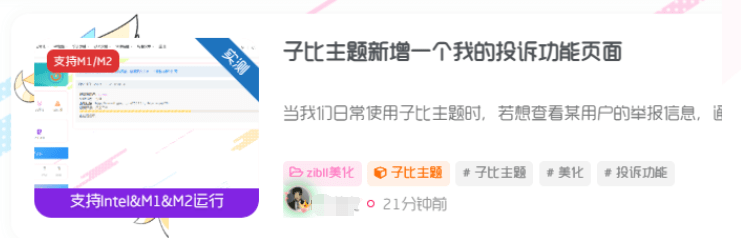
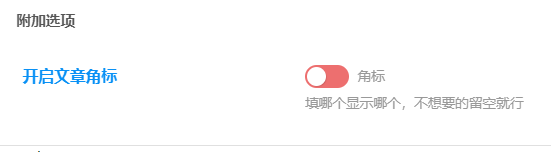
添加教程
- 首先是在后台添加css代码
2.将下面代码添加进子比主题下的func.php文件内,若没有则创建一个,如果是新建func.php文件夹记得复制<?php 去掉前面两竖线
3.打开子比主题文件夹下的inc/functions/zib-post-list.php文件,搜索 置顶 添加以下代码
//添加在这个代码的下面
 if (is_sticky()) {
        $sticky = '<badge class="img-badge left jb-red">置顶</badge>';
    } else {
        $sticky = '';
    }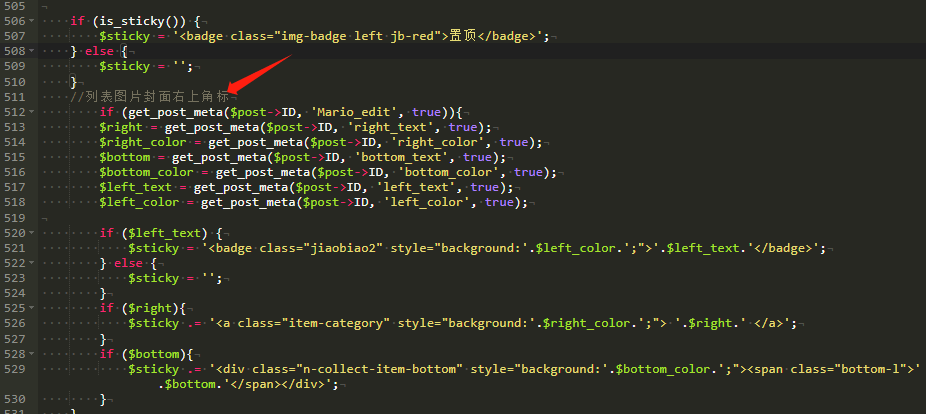
将以上代码下面添加以下代码:
//列表图片封面右上角标
        if (get_post_meta($post->ID, 'Mario_edit', true)){
        $right = get_post_meta($post->ID, 'right_text', true);
        $right_color = get_post_meta($post->ID, 'right_color', true);
        $bottom = get_post_meta($post->ID, 'bottom_text', true);
        $bottom_color = get_post_meta($post->ID, 'bottom_color', true);
        $left_text = get_post_meta($post->ID, 'left_text', true);
        $left_color = get_post_meta($post->ID, 'left_color', true);

        if ($left_text) {
            $sticky = '<badge class="jiaobiao2" style="background:'.$left_color.';">'.$left_text.'</badge>';
        } else {
            $sticky = '';
        }
        if ($right){
            $sticky .= '<a class="item-category" style="background:'.$right_color.';"> '.$right.' </a>';
        }
        if ($bottom){
            $sticky .= '<div class="n-collect-item-bottom" style="background:'.$bottom_color.';"><span class="bottom-l">'.$bottom.'</span></div>';
        }
    }
4.然后刷新看效果,本站首页已经在使用
NOTICE
2469329338@qq.com | Copyright © 2023~2026
01
DISCLAIMER
本站资源大多来自网络,如有侵犯权益请联系管理员,我们会第一时间审核删除。站内资源仅供学习测试,未经许可禁止商用,请在24小时内删除。
02
VIP PRIVILEGE
遇到付费内容?升级终身VIP即可全站免费畅享所有资源,可以联系我的微信进行开通。
QQ群:791028636
© 版权声明 All Rights Reserved
THE END







暂无评论内容